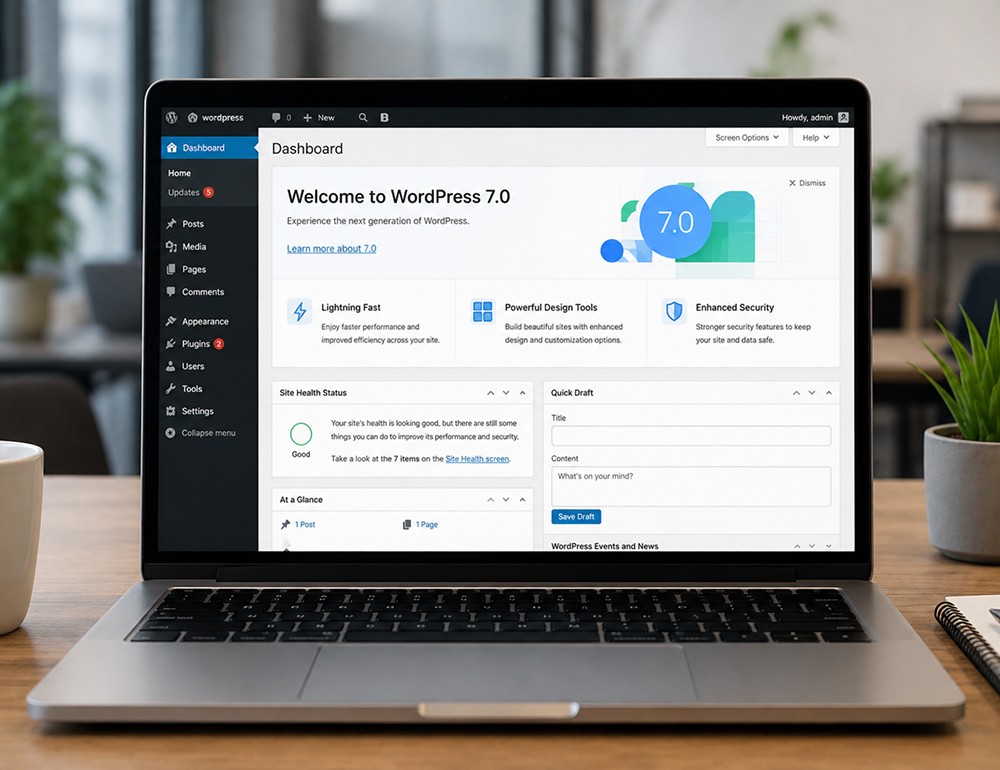
WordPress 7.0 release is scheduled for 20 May 2026 and represents a more substantial platform update than typical point releases. Rather than focusing solely on UI polish or performance, it introduces new collaboration capabilities, a native AI integration layer, and a modernized admin experience built around React-based DataViews
Key Features in WordPress 7.0
1) Real-Time Collaboration in the Block Editor
Real-time multi-user editing is the headline capability of the WordPress 7.0 release. Multiple users can edit the same post or page simultaneously, with changes syncing live across sessions. The experience includes:
-
Color-coded cursors showing where each collaborator is working
-
Inline comments and Notes that sync in real time, building on the Notes feature introduced in WordPress 6.9
-
Visual revision comparisons inside the editor for reviewing layout-heavy block content
2) Modernized wp-admin Lists with DataViews
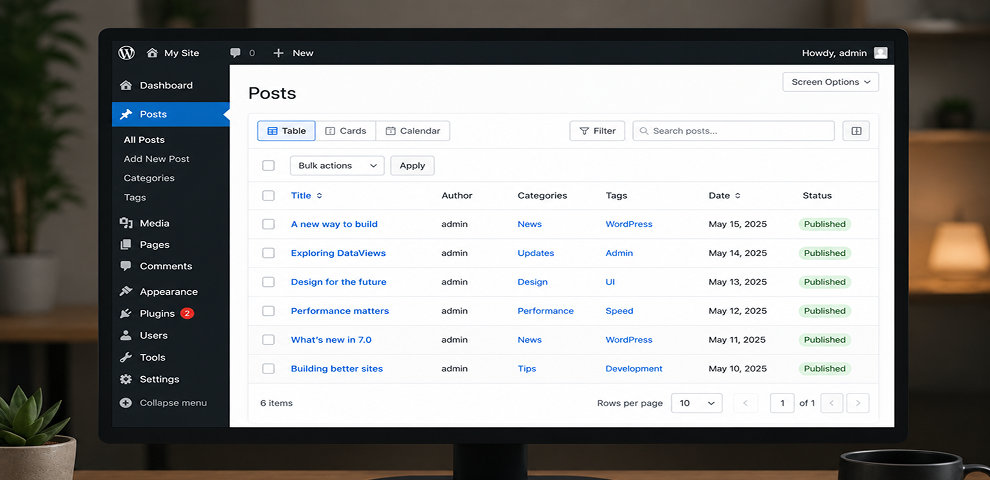
A major change in the WordPress 7.0 release is the modernization of core admin list screens. Posts, Pages, Media, and Users move away from the traditional WP_List_Table experience to a React-based system called DataViews.
-
Faster filtering, sorting, and grouping with fewer full-page reloads
-
Richer previews and more flexible ways to browse content, including list and grid views
-
Smoother navigation across admin screens through more app-like transitions
The admin refresh is designed to remain broadly compatible with plugins, but any plugin that injects UI into legacy list-table screens or relies on specific DOM structures should be tested carefully before upgrading.
3) Native AI Client and the Connectors UI
WordPress 7.0 introduces core infrastructure for AI rather than shipping a single AI writing feature. The goal is to standardize how WordPress sites connect to and use external AI providers.
- Connectors UI: A new Connectors page under Settings centralizes the management of AI provider connections in wp-admin. Site owners can add, update, or remove provider configurations in one place.
- WP AI Client: Core also introduces a standardized client that plugins can use to access configured providers without each plugin requiring separate API keys and credential screens. Early reporting indicates launch provider support includes OpenAI, Anthropic (Claude), and Google (Gemini).
Commonly cited early use cases include:
-
Automatic alt text generation on image upload to support accessibility and content operations
-
Inline content suggestions in the editor, such as outlining or rewriting assistance
-
Meta description drafts for SEO workflows where a human editor still approves final copy
4) New Blocks and Responsive Layout Controls
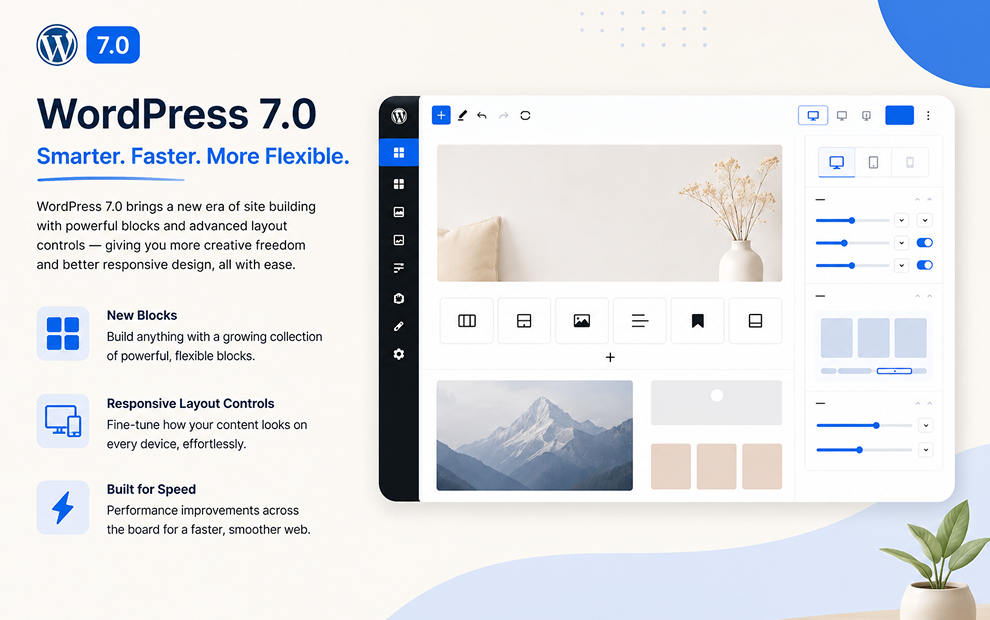
The WordPress 7.0 release expands block editor capabilities with a clear emphasis on navigation, responsive design, and more structured pattern editing.
-
Responsive Grid block controls to adapt layout across screen sizes
-
Per-block visibility rules by viewport, allowing show or hide behavior without duplicating blocks
-
Breadcrumbs block for native breadcrumb navigation
-
Icons block to embed icons without custom HTML
5) Pattern Editing Modes and Improved Focus
Patterns continue to evolve into a more component-like system. WordPress 7.0 introduces changes such as:
-
ContentOnly pattern editing as the default, surfacing relevant content fields while hiding structural controls
-
Isolated Editor mode for editing synced patterns and template parts in a focused environment
-
Spotlight mode enhancements that reduce visual noise during complex edits
Breaking Changes and Compatibility Considerations
WordPress maintains a strong backward compatibility commitment, but the WordPress 7.0 release introduces enough surface-area change that careful testing is necessary. The most common risk areas involve collaboration, admin list screen customization, and AI credential handling.
Real-Time Collaboration Edge Cases
-
Classic meta boxes: Collaboration may be disabled on posts that depend heavily on legacy meta boxes to prevent conflicts and data loss.
-
Post locking assumptions: Plugins that assume a single editor, rely on classic post locking, or write to the database on editor events may behave unexpectedly with overlapping edits. Update logic should be idempotent and concurrency-safe.
Admin UI Shift from WP_List_Table to DataViews
-
List-table extensions: Plugins that add custom columns, filters, or row actions via WP_List_Table hooks should be verified on DataViews-based screens.
-
CSS and DOM assumptions: Custom admin pages may appear inconsistent next to updated screens even if core functionality remains intact.
AI Client and Connectors Migration Questions
-
Existing AI plugins: Plugins that currently store their own API keys may either retain that approach or refactor to use the core AI Client.
-
Privacy and compliance: Centralizing AI connections makes it easier to scale AI usage but also increases the risk of inadvertently broadening AI data sharing. Policies should be explicit and role-based access should be verified.
Block, Pattern, and Responsive Behavior Changes
-
ContentOnly patterns: Editorial workflows may need updates if editors previously changed pattern structure regularly.
-
Responsive controls: Themes with complex breakpoint logic and custom CSS should be tested to avoid conflicting behavior with new visibility rules and grid controls.
Upgrade Checklist for WordPress 7.0
Use this WordPress 7.0 upgrade checklist to reduce downtime risk and catch compatibility issues before they reach production.
Phase 1: Pre-Upgrade Assessment
- Inventory plugins, theme, and integrations
-
Note plugins using classic meta boxes or classic editor workflows
-
Identify plugins that modify Posts, Pages, Media, or Users list screens
-
Flag plugins that use AI providers or external editorial tools
2. Review vendor compatibility statements
-
Check release notes from your theme and critical plugins (SEO, security, page builders, editorial workflow tools)
-
Confirm that must-use plugins and custom code are tested against WordPress 7.0
3. Clone production into a staging environment
-
Match PHP and database versions to production
-
Mirror caching, CDN, and object cache configuration where possible
Phase 2: Collaboration and Hosting Readiness
4. Validate hosting support
-
Confirm supported PHP version and memory limits for WordPress 7.0
-
If collaboration is mission-critical, evaluate whether your platform supports WebSockets or whether HTTP polling performance is acceptable
5. Audit content types with meta boxes
-
Test whether collaboration is disabled automatically on affected posts
-
Consider migrating key metadata to block-friendly approaches where appropriate
Phase 3: AI Connectors, Policies, and Permissions
6. Define AI usage policy before enabling Connectors
- Select providers that align with your data-handling requirements
- Decide what content can be sent externally (draft content, media metadata, user-generated content)
- Ensure role-based permissions are set for who can trigger AI actions
Phase 4: Staging Tests That Mirror Real Workflows
7. Run collaboration simulations
-
Have multiple users co-edit the same post, use Notes, and resolve review cycles with visual revisions
-
Test posts with custom fields, SEO blocks, and any custom editorial tooling
8. Test DataViews screens end-to-end
- Verify custom columns, bulk actions, filters, and row actions
- Check custom post types and plugin-added admin enhancements
9. Validate key templates and responsive layouts
-
Confirm Grid block behavior across common breakpoints
-
Ensure per-block visibility rules do not conflict with theme CSS
-
Verify pattern editing expectations under ContentOnly mode
10. Test AI-assisted features
- Try alt text generation on representative media uploads
- Test content suggestions and meta description drafts with editorial review
- Confirm logs, prompts, and permissions meet internal standards
Phase 5: Rollout and Monitoring
11. Use a phased rollout for larger organizations
-
Upgrade core first, keeping collaboration limited for sensitive post types
-
Enable collaboration by team or section after training is complete
-
Enable AI connectors only after policy approval and guardrails are in place
12. Train users on new workflows
- Collaboration etiquette, Notes usage, and review steps
- Visual revisions and rollback practices
-
DataViews filtering and day-to-day content operations
-
AI quality control, disclosure, and editorial standards
13. Monitor post-upgrade signals
-
PHP errors, REST API errors, and editor console warnings
-
Editor responsiveness under multi-user sessions
-
User feedback on admin usability and any missing plugin actions